Note editing and review
AI Peer Review
Open Peer Review on a completed note for strengths, gaps, treatment options, and impacting factors.
How to access AI Peer Review
-
Navigate to a completed progress note or patient encounter
-
Click the Peer Review tab at the top of the document
-
The AI will analyze your documentation and generate the review
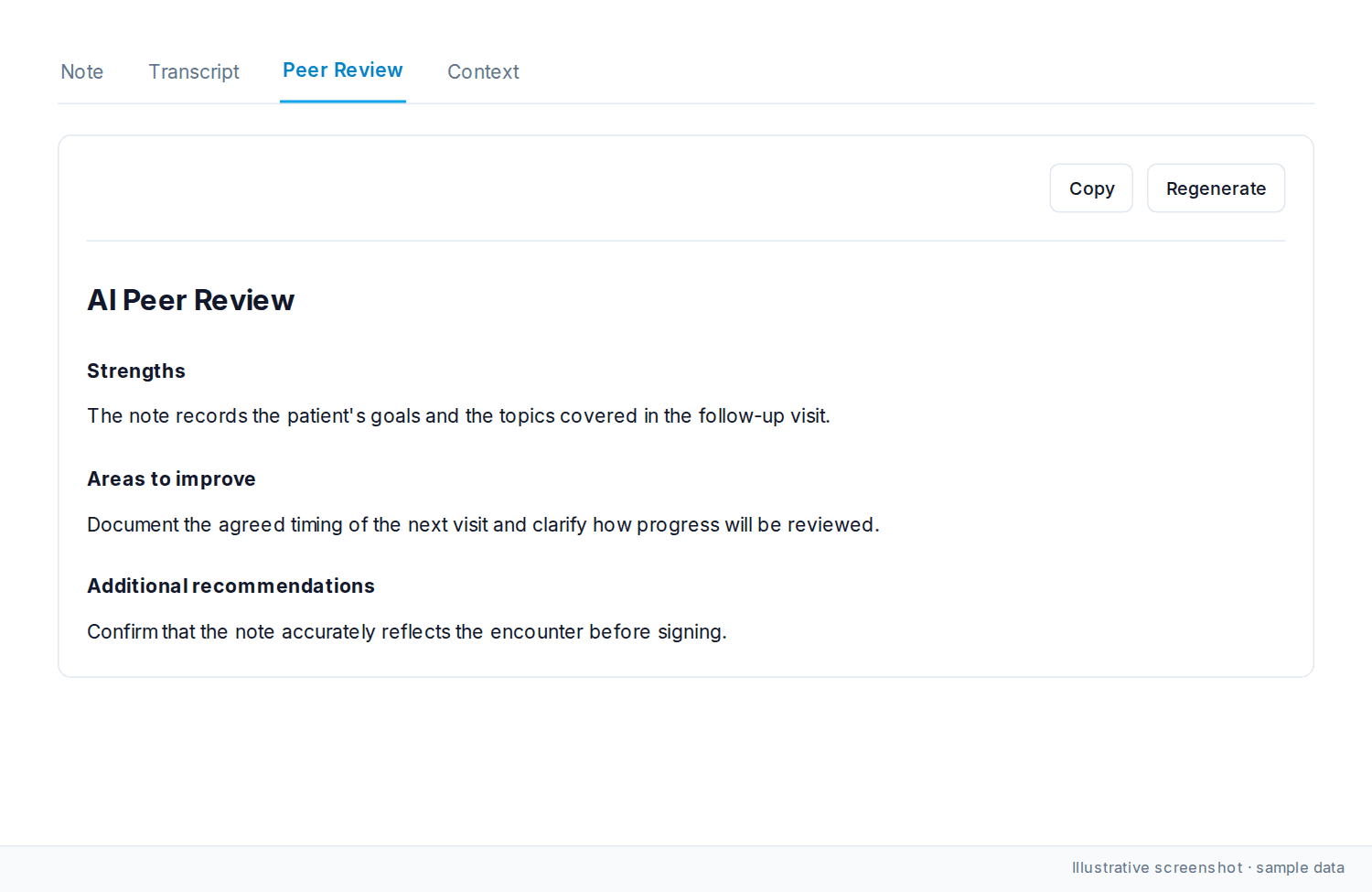
What the review covers
Strengths
-
What you did well in the encounter
-
Effective clinical decision-making
-
Thorough documentation practices
Areas to improve
-
Gaps in documentation or assessment
-
Areas where additional detail would help
-
Potential gaps in clinical reasoning
Treatment recommendations
-
Alternative treatment approaches to consider
-
Evidence-based interventions
-
Additional therapeutic options
Potential impacting factors
-
Patient factors that may influence outcomes
-
Social determinants of health
-
Comorbidities or risk factors that warrant attention
Additional recommendations
-
Supplementary clinical insights
-
Follow-up considerations
-
Preventive care recommendations
What affects the review
The feedback varies based on the type of session (initial consultation, follow-up, specialty visit), patient complexity, and how complete your documentation is.
Use it on complex cases, before a significant decision, or when you want a second look at treatment options.
Was this article helpful?
Still stuck? Our team answers in the messenger.