AI preferences
Custom Instructions Settings
Add standing instructions on Preferences -> AI Settings -> Global Instructions. Examples for consent, ICD-10, and billing.
Custom Instructions Settings overview
How it works
-
Navigate to Preferences -> AI Settings -> Global Instructions
-
Enter your instructions in the rich-text editor
-
Click Save Changes
Your instructions are applied to all future note generation automatically.
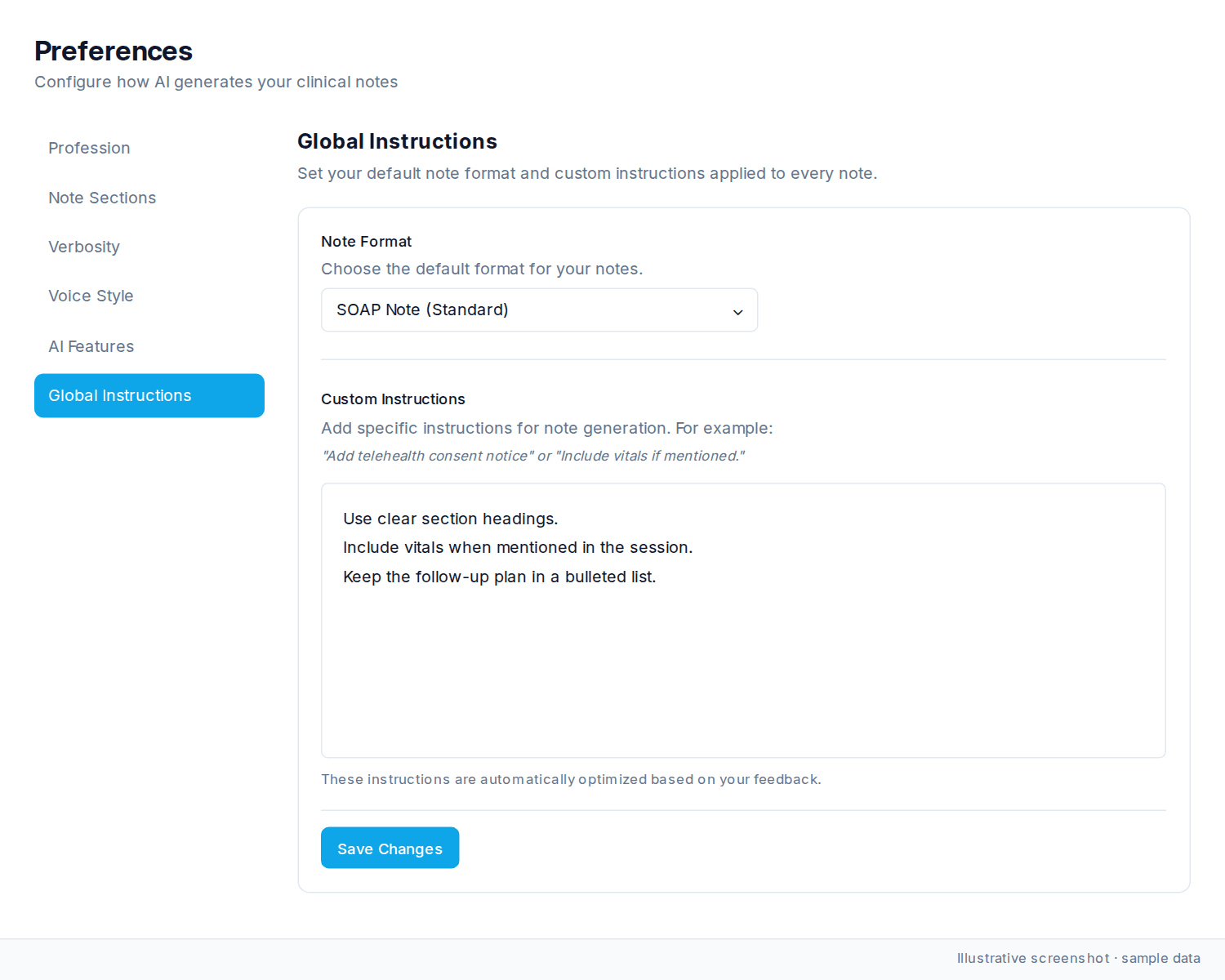
What you can do with custom instructions
Be specific. Examples:
Adding standard elements:
-
“Add telehealth consent notice to every note”
-
“Include vitals if mentioned during the session”
-
“Always document time spent on medical decision-making”
Workflow-specific requirements:
-
“Always note if patient arrived late”
-
“Include treatment plan review at end of each note”
-
“Add safety assessment section for high-risk patients”
-
“Note when interpreter services were used”
Formatting preferences:
-
“Use ICD-10 codes when documenting diagnoses”
-
“Spell out medication names fully, no abbreviations”
-
“Include both generic and brand names for medications”
Compliance and billing:
-
“Document medical necessity for prescribed medications”
-
“Include time-based billing elements for E/M coding”
-
“Note coordination of care with other providers”
Editor features
The rich-text editor supports:
-
Bold and italic text
-
Headers
-
Bulleted and numbered lists
-
Links
-
Tables
-
Undo/redo
How the AI learns from you
Custom instructions are automatically optimized based on your feedback over time. When you consistently edit generated notes in the same way, the system learns those patterns and incorporates them into future note generation.
Tips
-
Be specific and direct (e.g., “Include X” rather than “You might want to add X”)
-
Instructions work alongside your other settings (verbosity, voice style, note sections)
-
Test new instructions on a few sessions to make sure they produce the results you want
-
Update instructions anytime as your documentation needs change
Was this article helpful?
Still stuck? Our team answers in the messenger.