Insurance billing
Set Up Insurance Coding
Add billing codes to encounters so they shape the note and appear on exported PDFs.
Last updated: 2026-09-07
Billing codes such as CPT 90833 track services on the encounter. The AI uses the code to shape the note. Billing codes on the encounter print on the PDF as Service Codes. Practice name and address come from workspace settings.
Encounter codes do not submit a claim. For workspaces with Insurance enabled, use these guides:
- Set up insurance.
- Check eligibility before a visit.
- Prepare claims and reconcile payments.
- Review imported claims.
- Track authorizations and patient estimates.
- Insurance usage billing.
Open the printable insurance guide.
How to access billing code settings
-
Click your profile icon in the bottom left of the sidebar
-
Select Settings (gear icon)
-
Click Insurance Billing
Setting up your billing codes
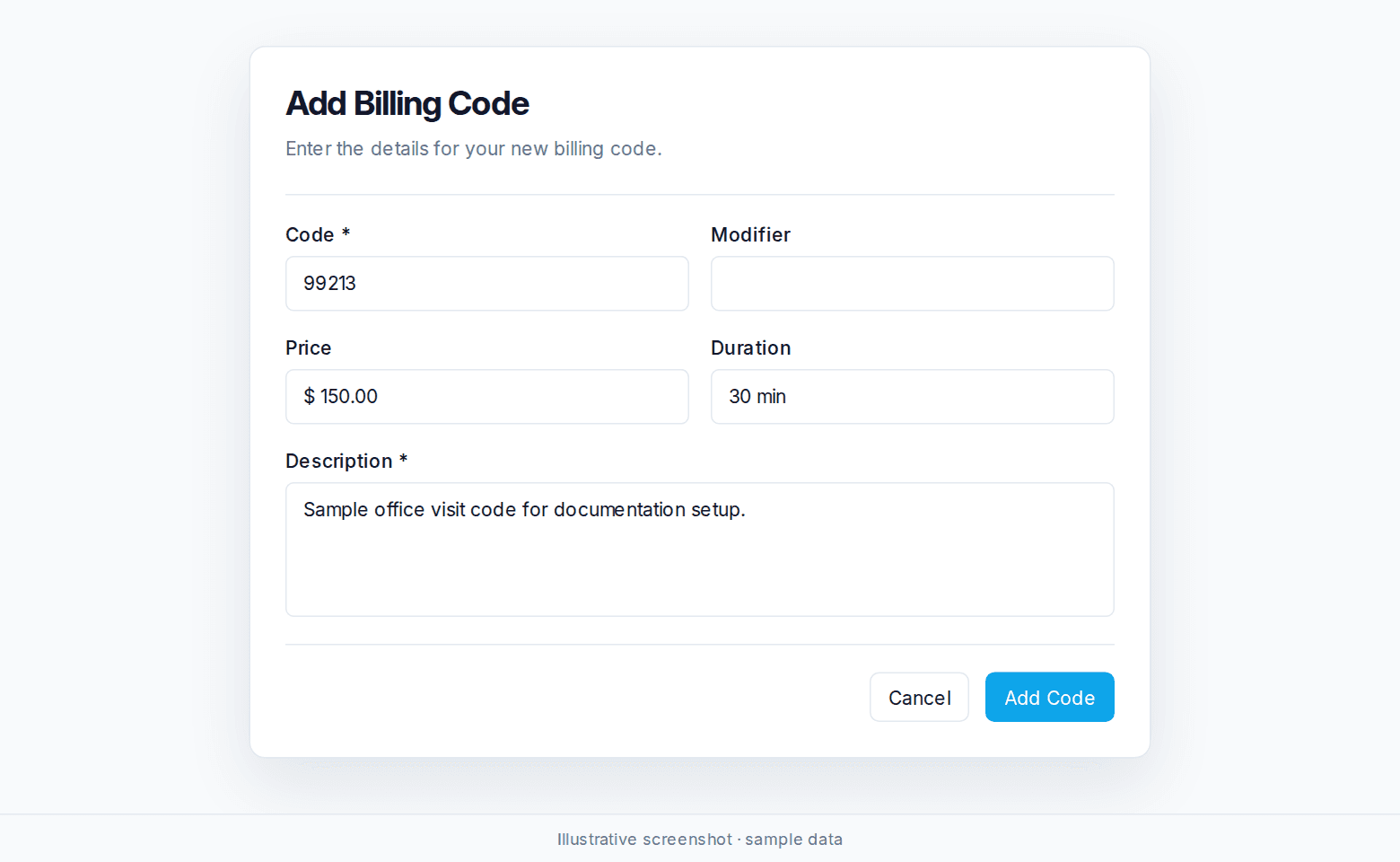
From the Insurance Billing settings page, you can create and manage your billing code library. Each code requires:
-
Code (required): The billing code number (e.g., 90833)
-
Modifier (optional): Any applicable modifiers
-
Price: The fee associated with this code
-
Duration: Expected session length (e.g., "15 Minutes")
-
Description (required): A description of the service
Once saved, codes are available across all your patient encounters.
Adding billing codes to encounters
During an active session: Select the appropriate billing code while recording to guide documentation in real time.
After the encounter: Add the billing code when reviewing an unsigned encounter. A signed encounter shows Note Signed. Click Unsign to change codes. Submitted insurance claims that are not drafts hide Unsign and the coding Add / Edit control.
Complete practice information in workspace settings so the letterhead prints with the codes.
AI coding suggestions
When Nextvisit's AI identifies a billing code that fits the documented session and meets the code's criteria, it appears under suggestions with a confidence percentage. Click Show facts on a suggestion to see the specific parts of the note that support it.
-
Apply: adds the suggested code to the encounter's billing codes.
-
Dismiss: removes the suggestion. It stays dismissed for that encounter unless the AI regenerates new suggestions.
A person reviews each suggestion before applying or dismissing it.
Was this article helpful?
Still stuck? Our team answers in the messenger.